N
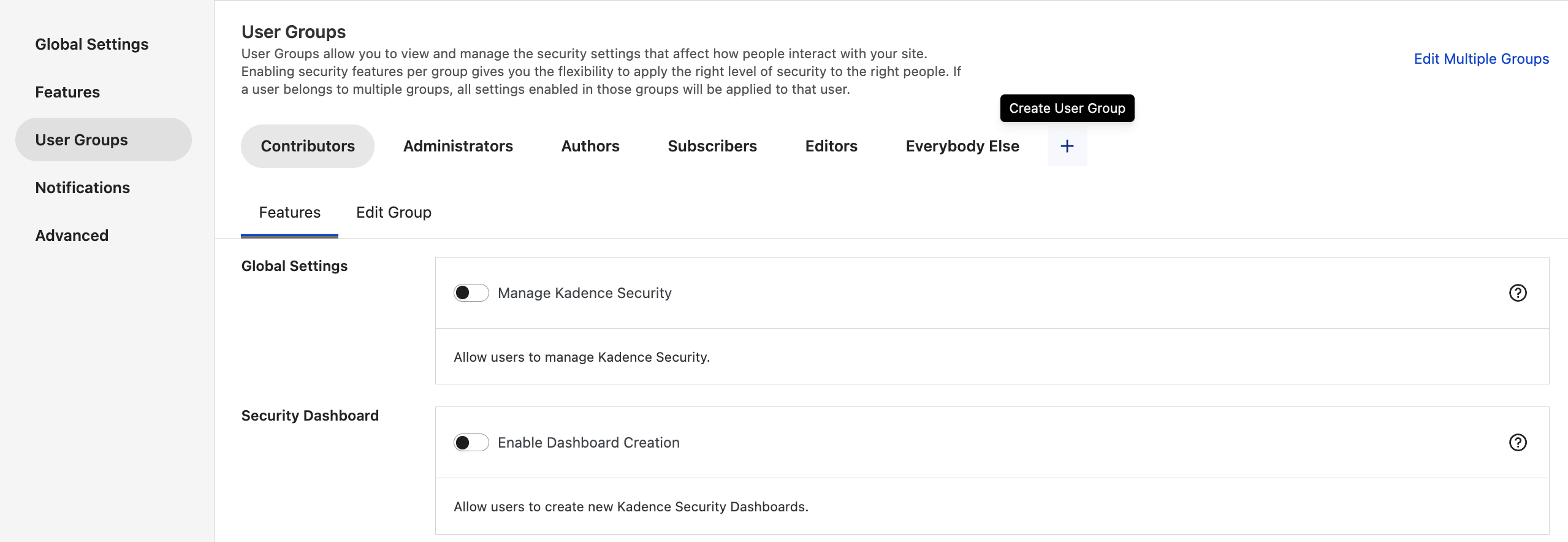
Coming soon: Solid Security is becoming Kadence Security. You may see both names used across the product, documentation, and customer experience. This article covers the User Groups and Advanced tabs in Security → Settings. For Global Settings and Notifications, see Kadence Security Global Settings and Notifications. For the Features tab, see Kadence Security Features Settings. In wp-admin, open Security → Settings. Save changes after each tab when you’re done editing. User Groups The User…
N
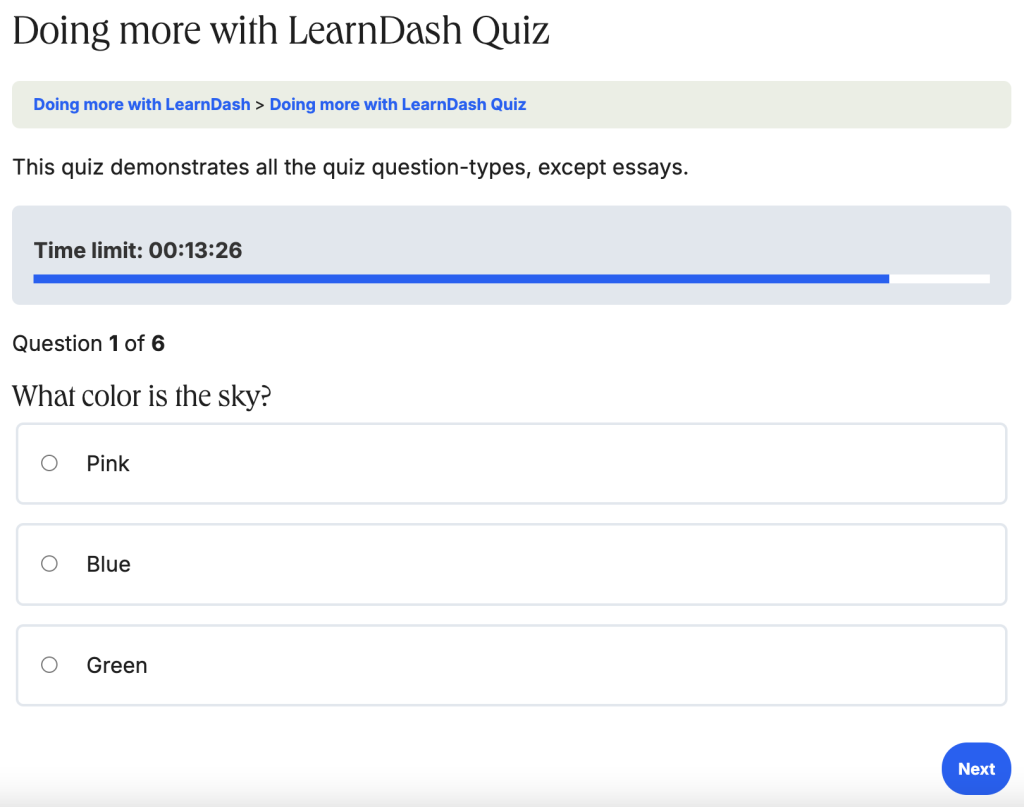
What Are LearnDash Quizzes? LearnDash Quizzes allow you to build interactive assessments that test learner comprehension, reinforce key concepts, and gate course progression directly within your WordPress site. In short, they transform passive reading or video watching into active knowledge checks. Whether attached to a specific Course, Lesson, or Topic—or offered as standalone practice tests—LearnDash Quizzes support a wide variety of question formats, automated grading, timers, and…
N
With Events Calendar Pro, you can list virtual, hybrid, and in-person events on the same calendar. Visitors can see how to attend while they browse, and the event page can give them what they need to join. You decide whether to show a video or meeting link, when it appears, and who can see it. Virtual and Hybrid Events A virtual event takes place online. Attendees can watch a stream or join a meeting remotely. A hybrid event also has a physical venue. The same event page can show the venue…
N
This guide walks you through setting up the free Kadence theme: installing and activating it, setting your site-wide colors, fonts, header, footer, and layout in the Customizer, and, if you’d like a head start, importing a Starter Template. Note These steps are for self-hosted WordPress sites. They don’t apply to sites hosted on WordPress.com. Install and Activate the Kadence Theme The Kadence theme is free and installs straight from your WordPress dashboard. In your WordPress dashboard, go to…
N
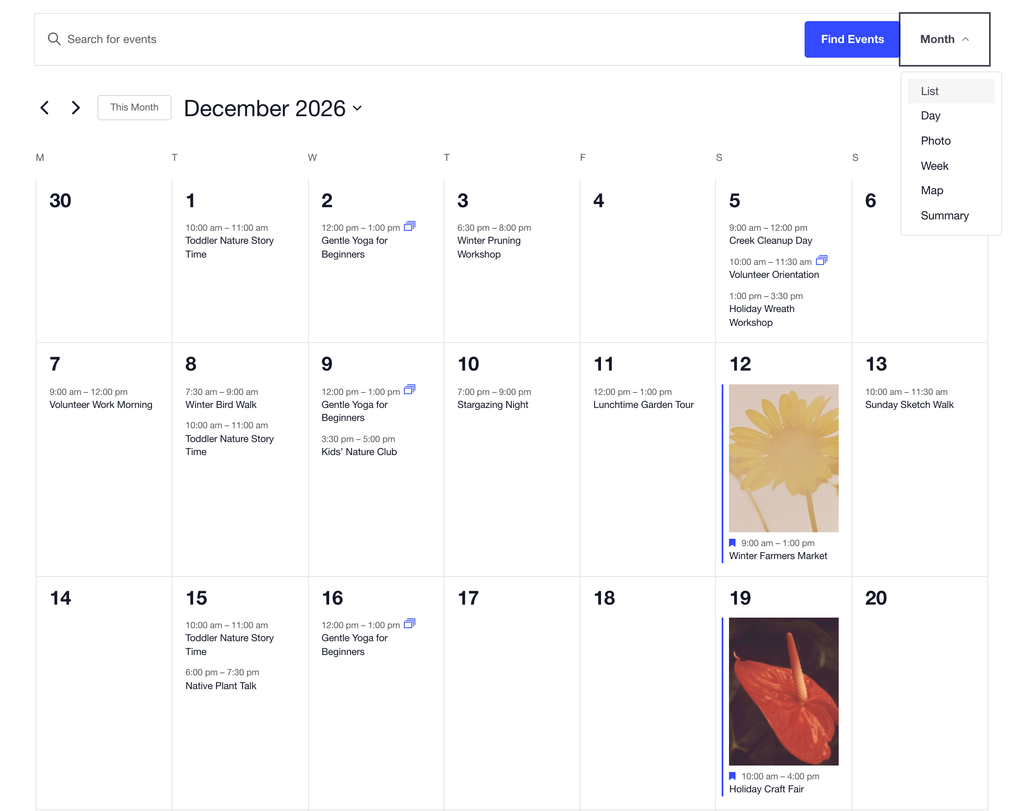
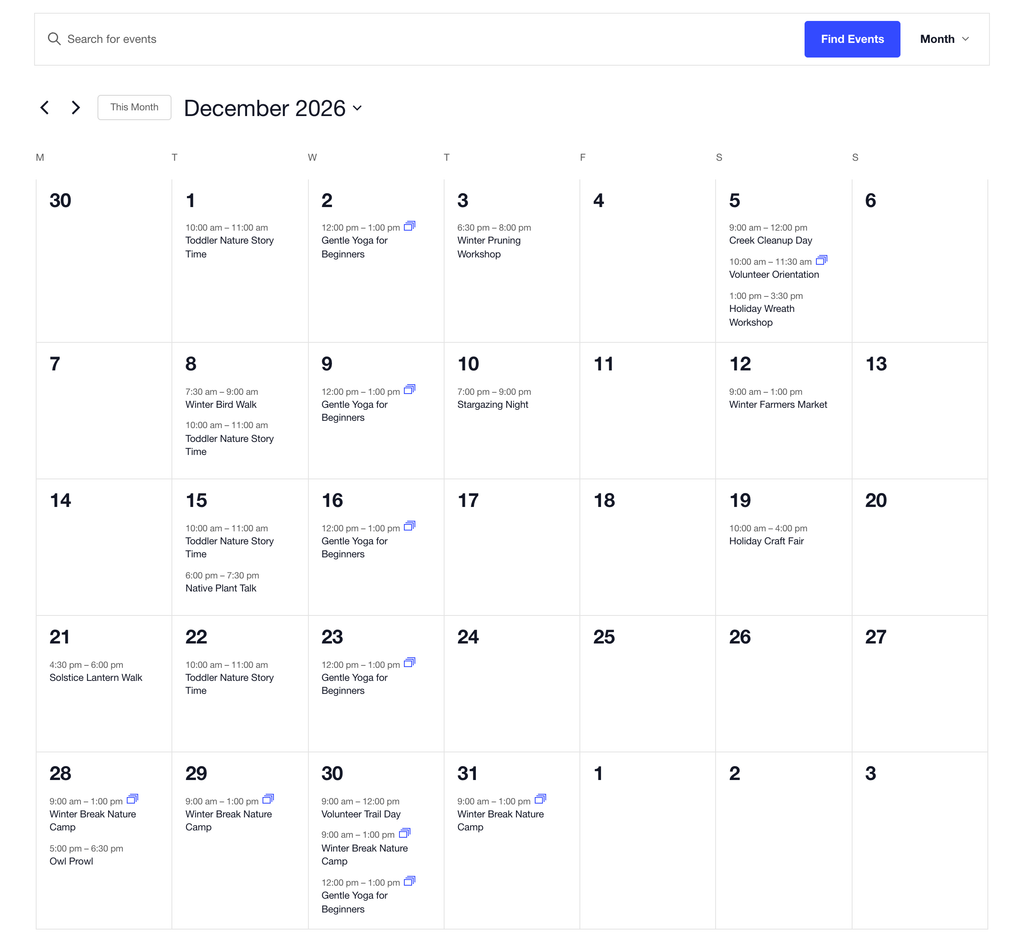
What Are Calendar Views? Your events page can show the same events in different ways, and each layout is a calendar view. In short, calendar views let visitors browse your events the way they plan: as a monthly calendar, as a list of what’s coming up, or one day at a time. Events Calendar Pro adds four more views: Week, Photo, Map, and Summary. Visitors switch views from the menu at the right of the events bar. Every view has the same search, date navigation, and links to each event’s page. Why…
N
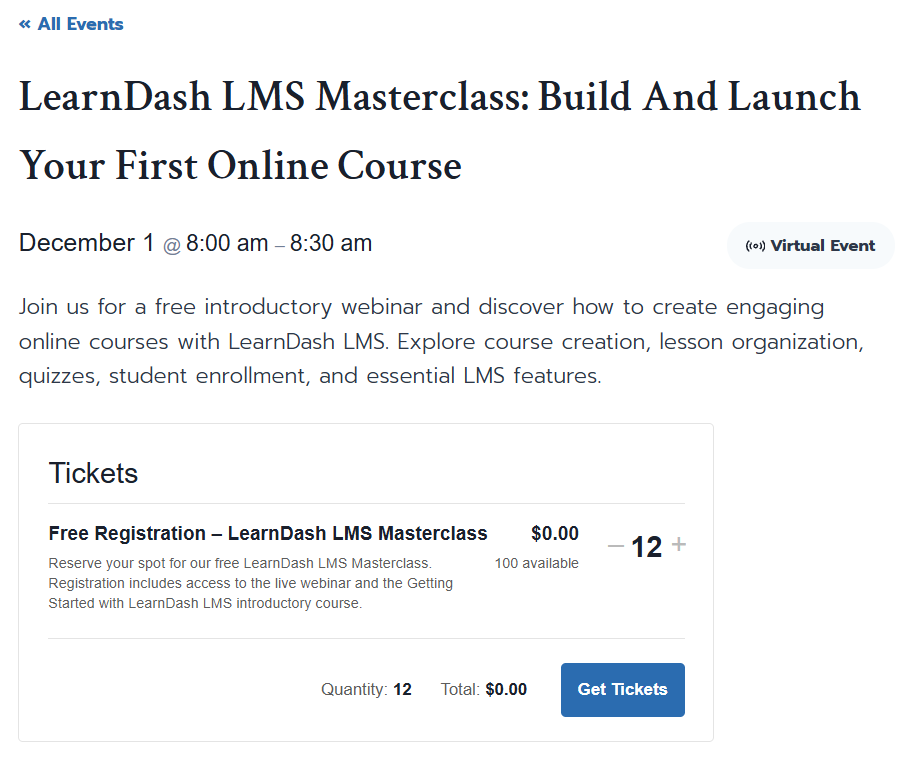
Beyond Online Courses: Create Engaging Learning Experiences with The Events Calendar and LearnDash Learning doesn’t have to end with an online lesson. Imagine giving your students a place to put their knowledge into practice through live workshops, interactive webinars, professional training sessions, and other learning experiences. With the Events Calendar Integration for LearnDash, you can bring your online courses and scheduled events together. Connect events with LearnDash courses or…
N
What Is Kadence Theme? Kadence Theme is a free, lightweight WordPress theme built for fast, accessible websites and the WordPress block editor. In short, it controls your whole site’s look from one place: the header, footer, page layouts, colors, and fonts. It’s also the base of a small set of Kadence tools that work together. Alongside the theme, the free Kadence Blocks plugin adds page-building blocks to the editor, and the free Starter Templates plugin sets up a complete, ready-made site in…
N
What Are Recurring Events? Classes, meetings, camps, and festivals often happen more than once. Recurring events in Events Calendar Pro let you create an event once and have it repeat on your calendar. In short, you choose a pattern, such as every Wednesday or the first Saturday of each month, and Events Calendar Pro adds every date for you. Why Use Recurring Events? Set Up a Schedule Once Instead of copying the same event for every class or meeting, you create it once and choose how it…
N
What Are Give Donations? Donations is Give’s central ledger for tracking and managing every gift made on your site, across all your forms, Campaigns, and payment gateways. In short, it’s the one place to see what came in, where each payment stands, and the full story behind every gift. The Give Donations admin table listing donations with donor, Campaign, status, date, and amount Why Use Give’s Donation Management? Donations turns a stream of individual payments into records you can trust, act…
N
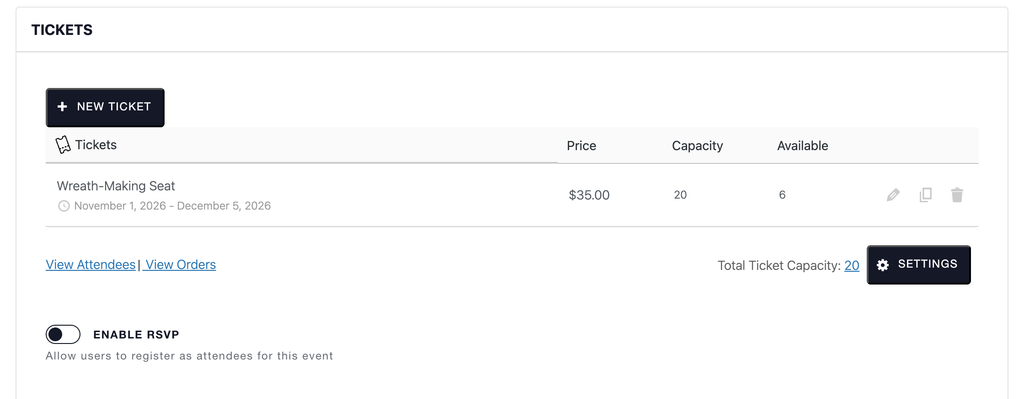
What Is Community Tickets? Community Tickets is a feature of the Community add-on for The Events Calendar. In short, it lets the people who submit events to your calendar sell tickets and take RSVPs for those events, and follow their own attendees and sales without ever opening your dashboard. It works with Event Tickets, which is free. Tickets are sold through Tickets Commerce, the checkout built into Event Tickets, or through WooCommerce if you also use Event Tickets Plus. Buyers check out on…
N
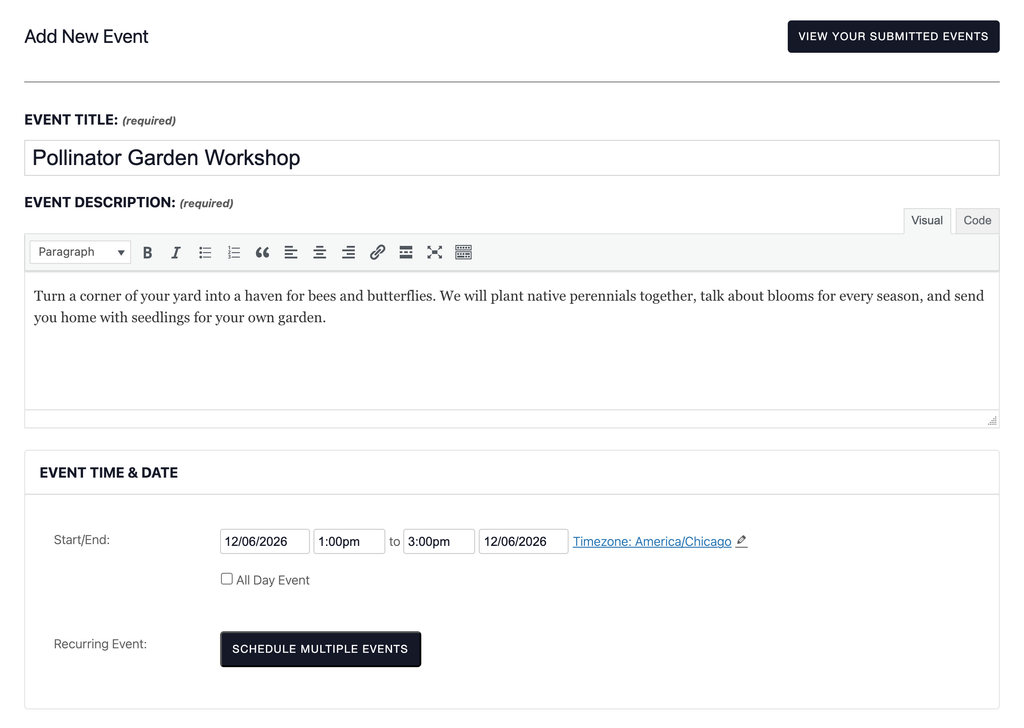
What Is Community Events? Community Events is a core feature of the Community add-on for The Events Calendar that lets people submit events to your calendar directly from the front end of your site. In short, it turns your calendar into a shared community hub that local groups, members, and partners help fill—without giving anyone access to your WordPress dashboard. Submitters fill out a simple form with the event’s title, description, date and time, image, categories, venue, and organizer. You…
N
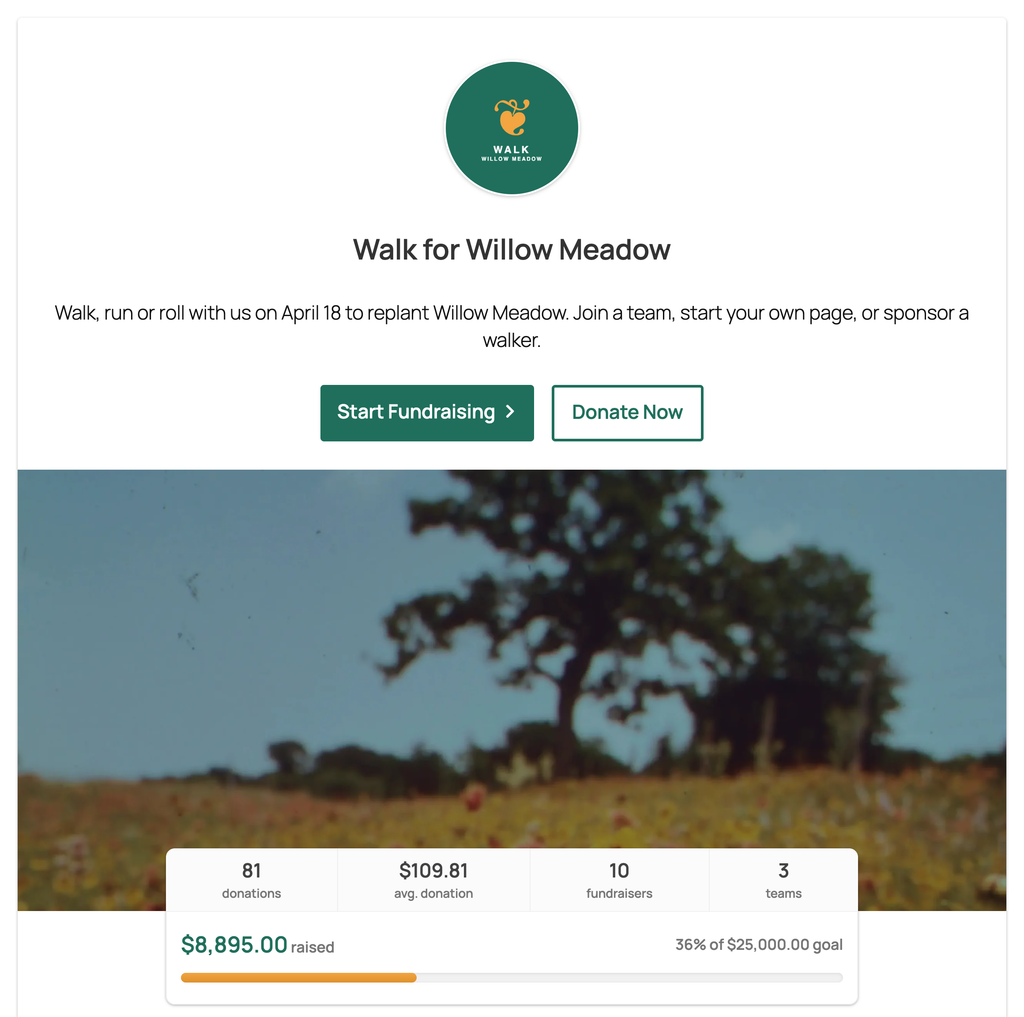
What Is Peer-to-Peer Fundraising? Peer-to-Peer Fundraising is an add-on for Give that turns your supporters into fundraisers. In short, it lets people create their own fundraising pages, form teams, and ask their friends and family to give to your cause. Each Peer-to-Peer campaign gets its own campaign page with a goal, a progress bar, and buttons to start fundraising or donate. Every gift counts toward the same campaign goal, whether it comes through a fundraiser’s page, a team page, or the…
N
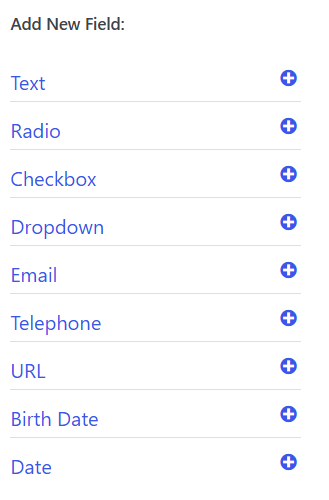
Custom Attendee Registration fields in Event Tickets Plus let you collect the details you need from everyone attending your event, not just the person purchasing the ticket. They turn checkout into a simple, customizable registration form. Why use Custom Attendee Registration fields? Purchaser details collected by default at checkout identify who made the payment, but not who will attend, what they need, or how to contact them. Custom Attendee Registration fields capture this additional…
N
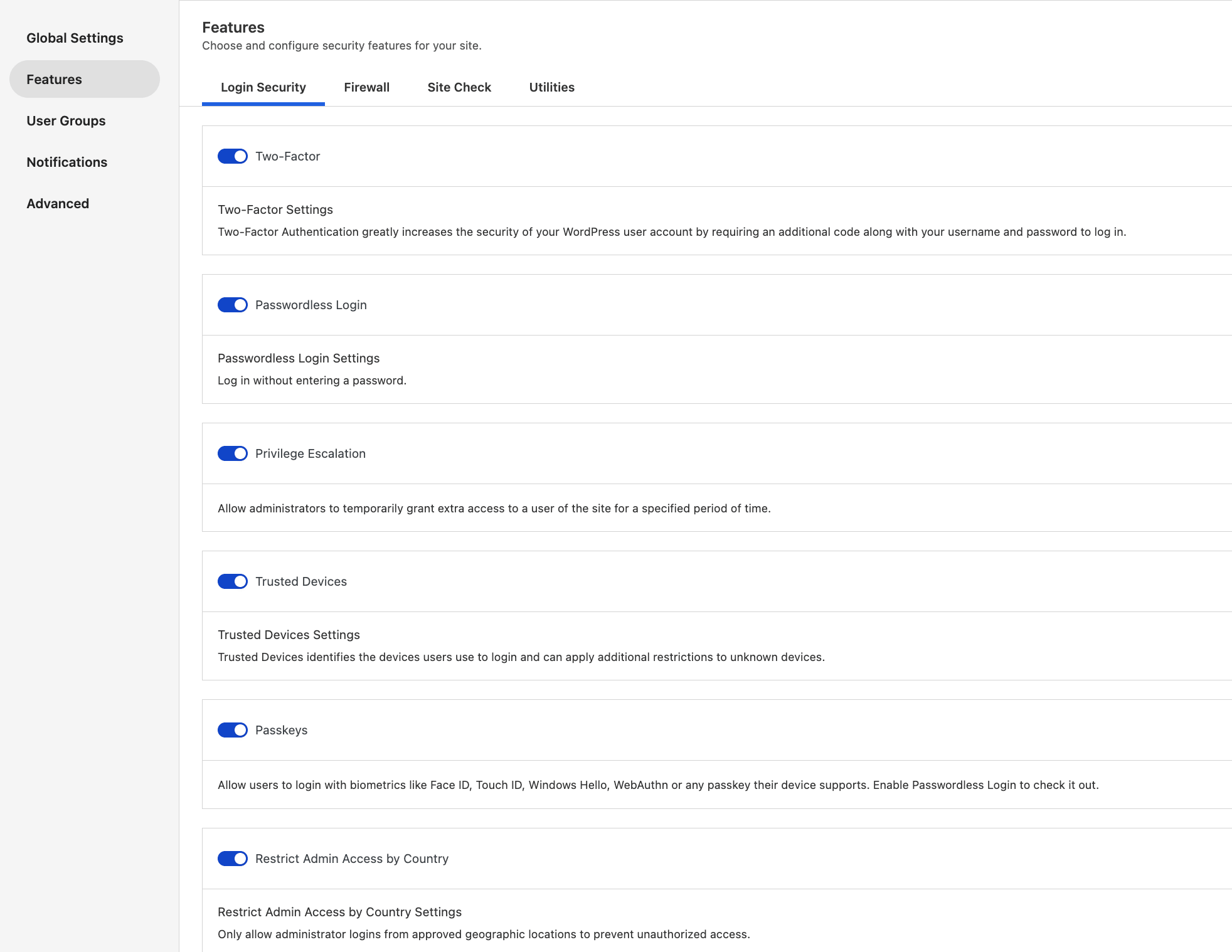
Coming soon: Solid Security is becoming Kadence Security. You may see both names used while we update the product, documentation, and customer experience. This article covers the Features tab in Security → Settings. For Global Settings and Notifications, see Kadence Security Global Settings and Notifications. For User Groups and Advanced Settings, see Kadence Security User Groups and Advanced Settings. Kadence Security’s Features settings screen is divided into four major areas of security…
N
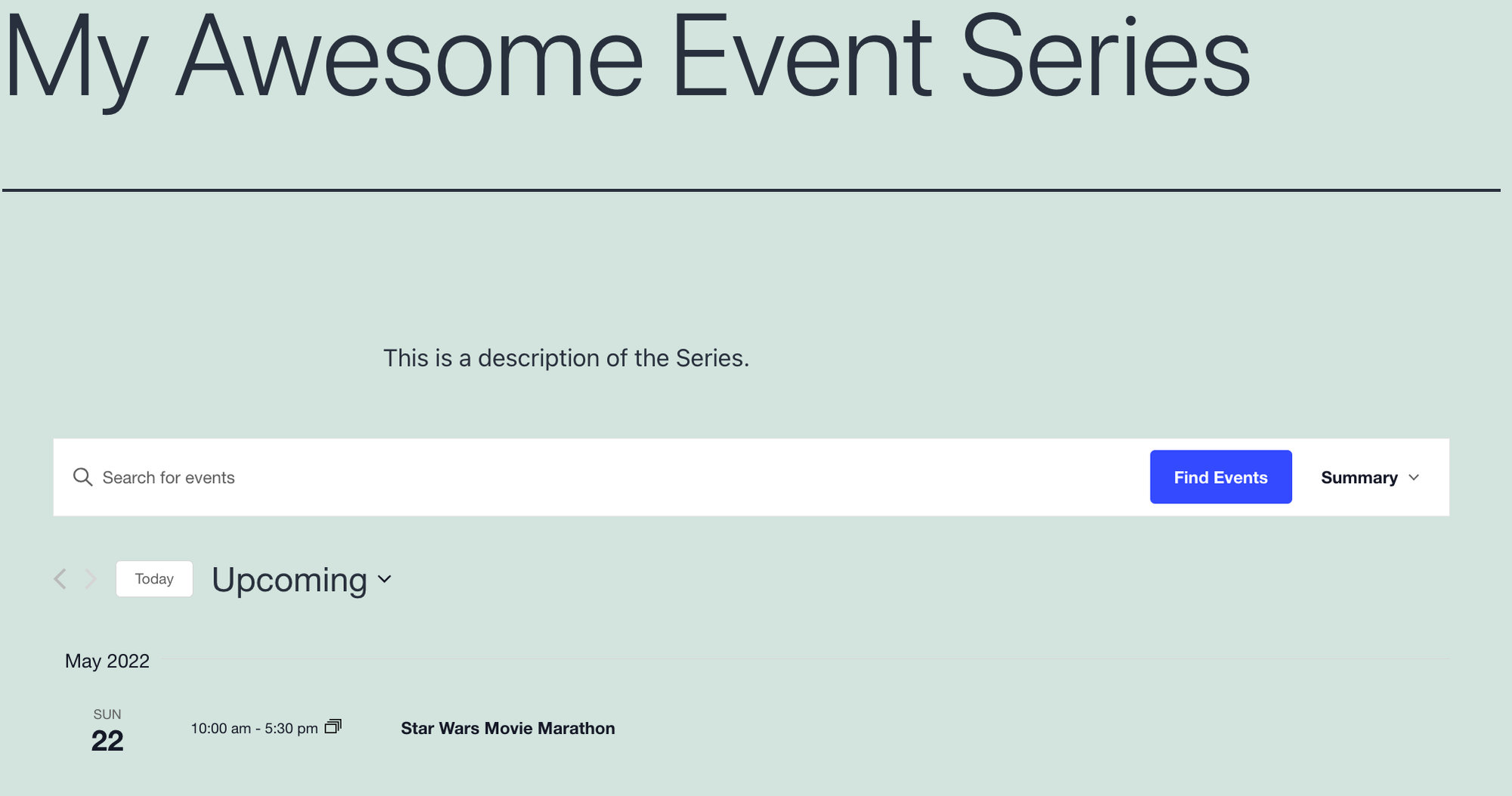
What Is an Event Series? Event Series creates a dedicated landing page to showcase and organize related events—whether they are one-off workshops, recurring sessions, or multi-day programs. Why Use Event Series? Keep Related Events Together: Group workshops, conferences, classes, performances, or fundraisers into a single collection, even when events happen on different dates or at different locations. Keep Event Details Independent: Each event can retain its own title, description, venue, and…
N
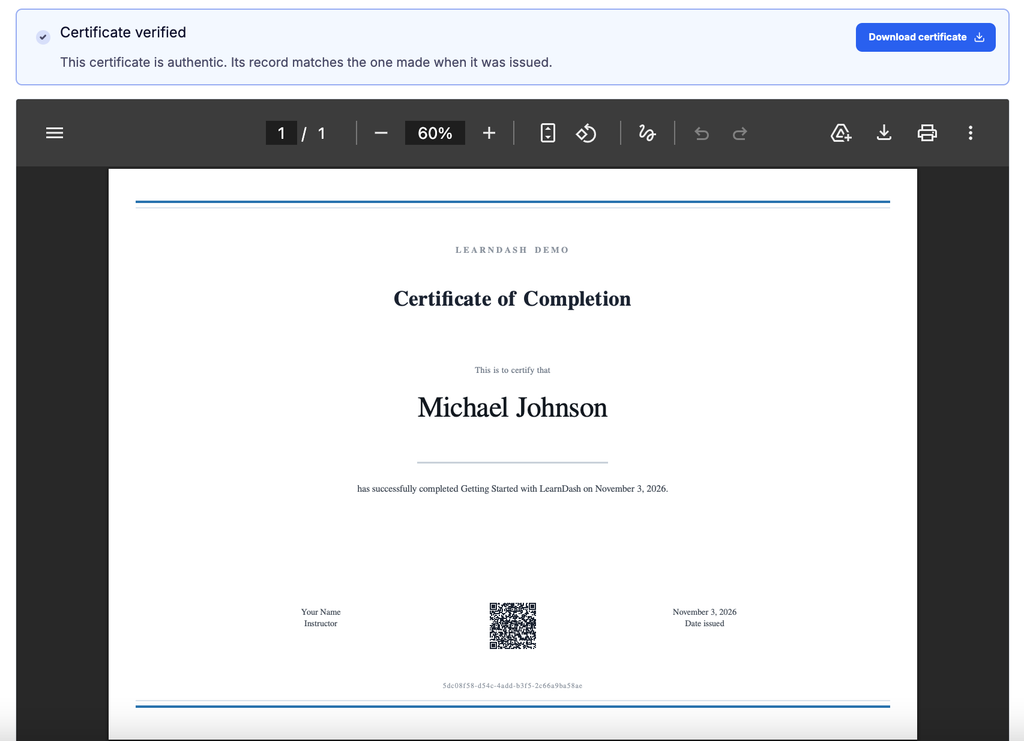
If a certificate verification link does not work, start with the message shown on the verification page. The message helps you tell whether the problem is with the link, the certificate record, or verification availability. Verification applies to certificates issued with the new drag-and-drop certificate builder. Certificates from the older builders do not gain verification links automatically. Certificate not verified This message appears when LearnDash cannot verify the certificate record.…
N
LearnDash includes a certificate verification system that provides permanent, tamper-resistant proof of course and quiz completions. Each certificate generated with the new certificate builder is stored as an immutable permanent record the moment a learner earns it, creating a unique, publicly accessible verification link that anyone can view without logging in. Verification Page States When an employer, institution, or third party opens a verification URL, the page returns an HTTP 200 status…
N
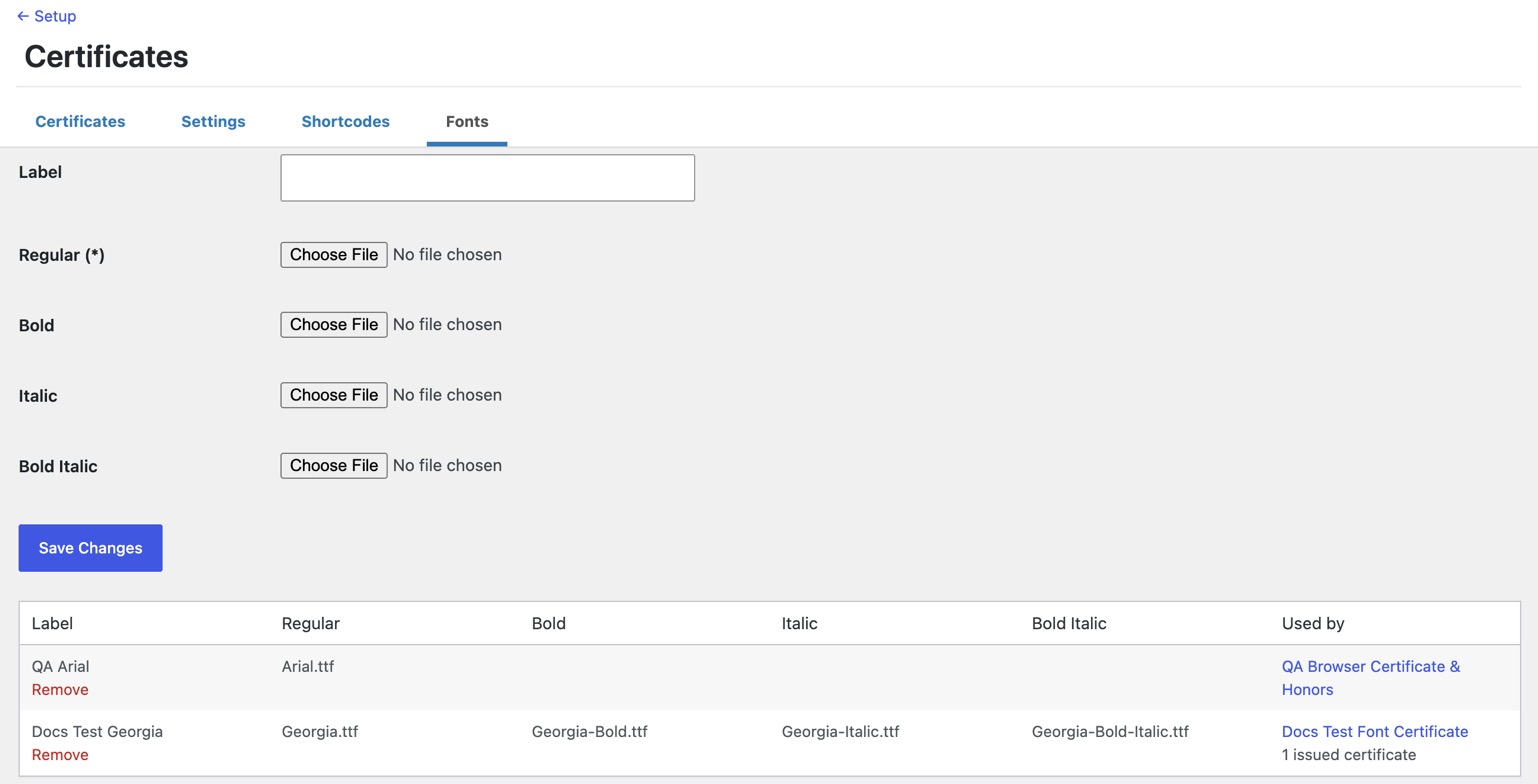
Upload custom fonts to use in the drag-and-drop certificate builder. You can add a font family, choose it for a text element, and see which certificates use it. Upload a font family Go to LearnDash LMS > Certificates > Fonts. In Label, enter the name you want to see in the font list. If you leave it blank, LearnDash uses the font’s family name. Upload the Regular font file. Regular is required. Upload the matching Italic, Bold, and Bold Italic files if you want to use those styles. Click Save…
N
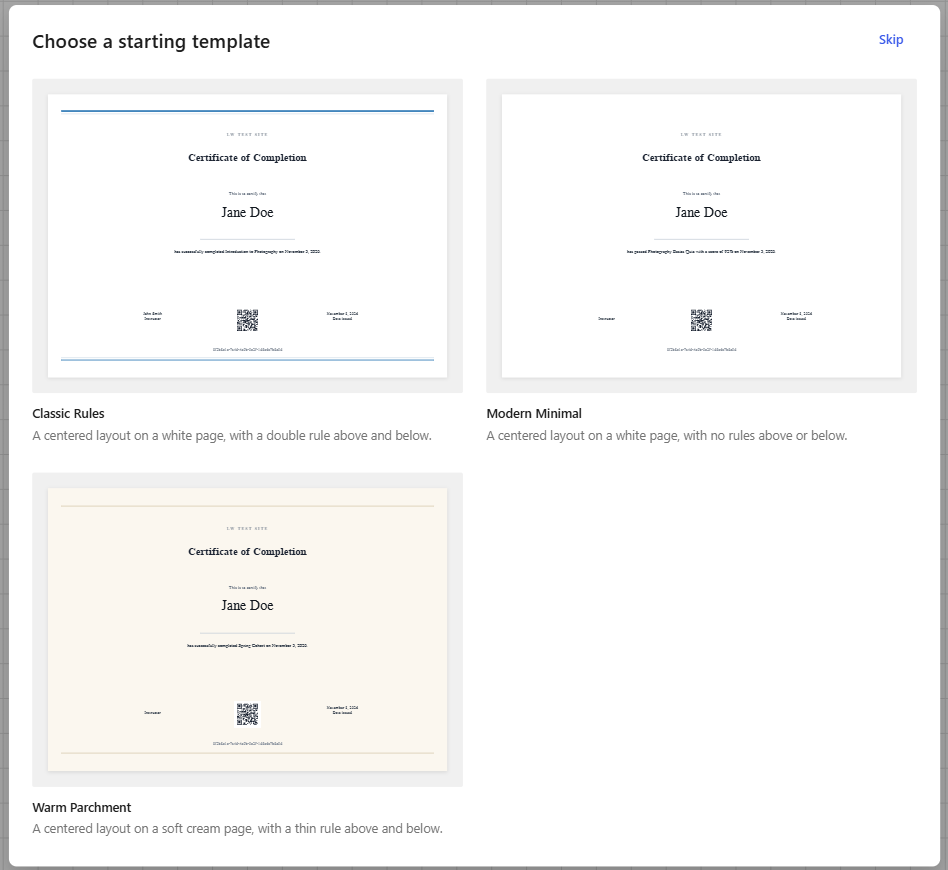
Overview LearnDash Certificates let you create customized certificates for learners when they complete a course, pass a quiz, or complete all courses assigned to a group. The Certificates feature includes a drag-and-drop certificate builder where you can design certificates, add text and images, insert dynamic information about learners and their achievements, and generate certificates in PDF format. Certificates can also be verified through a dedicated public verification page, allowing anyone…
N
Help visitors find the right event in seconds Filter Bar adds a set of search filters to your calendar so visitors can narrow events by category, venue, price, day, time, and more. In short, it turns a busy calendar into one that shows each visitor only the events they care about. Filter Bar is an add-on for The Events Calendar. It sits above your calendar as a horizontal bar or beside it as a vertical sidebar, and it works on phones as well as desktops. Every filter a visitor picks is added to…
N
Coming soon: Solid Security is becoming Kadence Security. You may see both names used while we update the product, documentation, and customer experience. This guide covers common Site Scan failures and error codes in Security → Logs. To copy full log output, see Diagnosis Tips: Raw Details of Site Scanner Logs. For what Site Scans check, how to run manual scans, and how to enable scheduled scans, see All about Kadence Security Site Scans. Whenever Kadence Security runs a Site Scan, a log for…
N
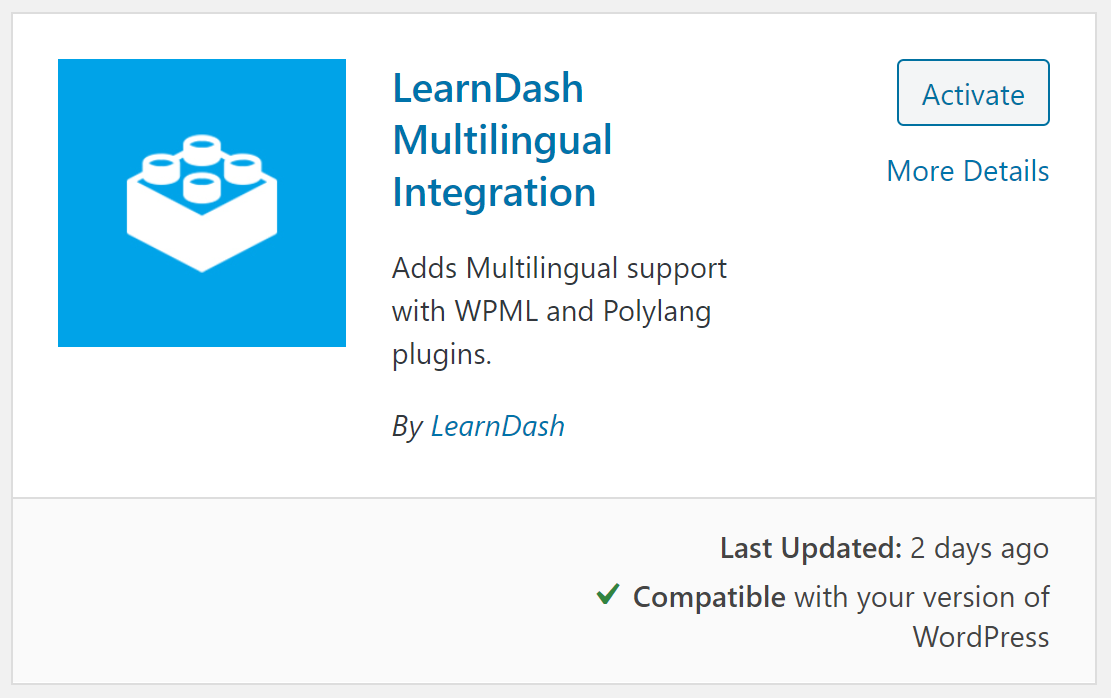
The LearnDash Multilingual Integration add-on allows for greater compatibility between LearnDash and multilingual sites that are using 3rd party plugins for administering multilingual translations. This add-on should be activated if you want to use the LearnDash Course Builder and Quiz Builder along with a multilingual setup. In addition, this add-on should be activated in order to translate URLs (WPML only). NOTE: This compatibility add-on is not intended for adding or modifying translation…
N
Coming soon: Solid Backups is becoming Kadence Backups. You may see both names used while we update the product, documentation, and customer experience. Introduction Kadence Backups enrollment asks you to pick a host and enter SSH/SFTP details (server address, port, WordPress path, username, and public key or password). Those values come from your hosting control panel, and the click path varies across providers. This guide collects host-specific steps that were previously part of Getting…
N
Coming soon: Solid Backups is becoming Kadence Backups. You may see both names used while we update the product, documentation, and customer experience. Introduction Kadence Backups connects to your server via SSH/SFTP and uses WP-CLI for backups and license checks. Your host must allow access from the Kadence infrastructure, and the SSH/SFTP user you provide in Kadence Central must be able to run WordPress CLI commands at your install path. This guide covers server requirements and…
N
When transitioning to Kadence Memberships (formerly Restrict Content Pro), it is important to understand how core functionality and legacy add-ons interact. Kadence Memberships is the successor and renamed core engine; however, legacy add-ons are not merged into the core plugin. They remain separate plugins that must be installed and licensed individually alongside Kadence Memberships. Key Note: SolidWP (part of the Liquid Web / StellarWP family) manages the underlying software licensing for…
N
Overview Donation Modules for Divi is a free Give add-on that adds 12 Give modules to the Divi Builder. Each module is a visual version of a Give shortcode, so you can place donation forms, goals, donor walls and donor account pages on any Divi layout and configure them from the module settings instead of typing shortcode attributes. The add-on has no settings page of its own. Everything is configured inside each module, and the builder shows a live preview of the Give output as you change…
N
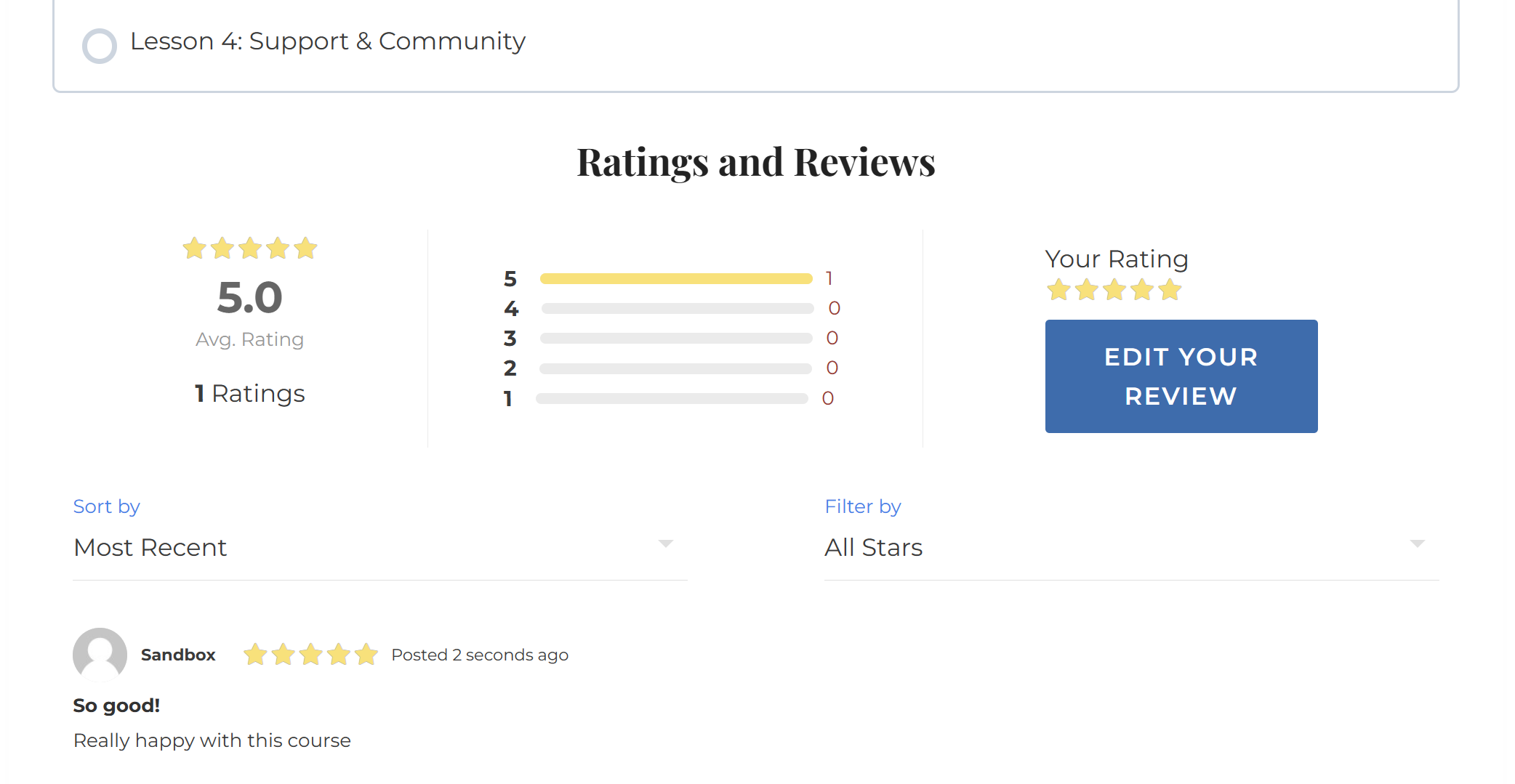
The Ratings, Reviews, and Feedback Add-on gives you full control over the display of ratings and reviews and helps you make your courses better with student feedback. By connecting student feedback directly with your course presentation, this add-on provides a dual approach: public social proof to drive enrollments and private communication channels to help instructors refine their learning content. Why Use Ratings, Reviews, and Feedback? Solve This Common Problem: Prospective students often…
N
Sofort is no longer available. Klarna, which owns Sofort, has discontinued it as a standalone payment method, and payment processors have ended support. The Give Sofort add-on can no longer process donations and isn’t compatible with forms built in the Visual Donation Form Builder. To accept bank-based donations from European donors, use the Stripe Payment Element gateway with SEPA Direct Debit or other local payment methods turned on, or the Mollie add-on. What happened to Sofort Sofort was…
N
If you cancel the subscription that includes Promoter, Promoter keeps working until the end of your current subscription period, and you won’t be charged at the next renewal. After that, Promoter stops syncing events and sending messages, but the plugins on your site keep working. What Happens When I Cancel? You can keep using Promoter normally for the rest of your current subscription period. You won’t be charged at the next renewal. After your renewal date passes, the subscription becomes…
N
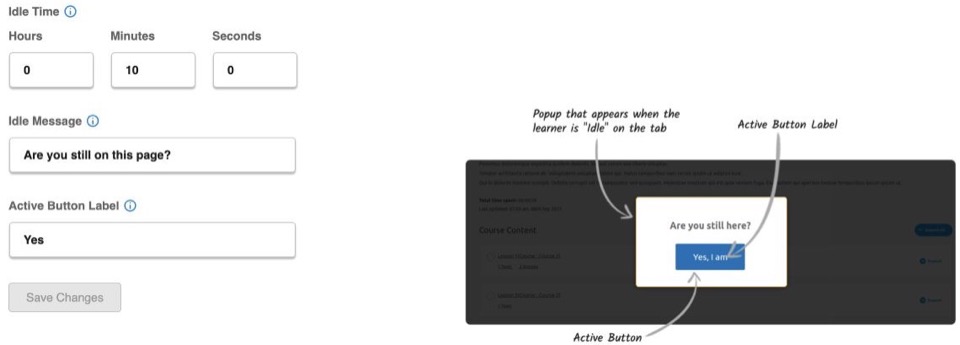
You can use ProPanel’s time tracking settings to exclude idle time from learner reports. Configuring cached reports and database upgrades also improves report load times. Configure idle tracking Go to ProPanel > Settings > Time Tracking Settings. Idle tracking uses mouse movements and keyboard input to determine learner inactivity. Time spent on alternative browser tabs is also excluded from active learning duration. Keep idle tracking enabled to exclude inactive periods from time reports.…